Every time a creator goes viral, copycat pages appear within hours. Knowing whether an influencer account is real protects you from scams, giveaways that never pay out, and false “news” attributed to people who never said it. Here are nine reliable checks anyone can do in a minute or two.
Key Takeaways
- A verification badge helps, but it is not the only proof. Some platforms now offer paid verification.
- Check the creator’s official links, posting history and the account’s creation details.
- Real creators almost never ask followers for money or passwords in DMs.
Why Fake Accounts Exist
Fake pages are used for giveaway scams, phishing links, fake brand deals, follower-farming and spreading rumors. The more famous the name, the more impersonators it attracts, which is why fans of well-known influencers are common targets.
9 Checks to Spot a Fake Account
1. Compare the exact username
Impersonators use tiny changes: an extra underscore, a swapped letter, or a number. Compare the handle character by character with the one linked from the creator’s official channels.
2. Follow links from official sources
Start from the creator’s official YouTube channel or website, which usually links to their other accounts. Do not trust an account just because it came up in search.
3. Understand verification badges
A badge can indicate the platform confirmed the account, but some platforms also sell subscription verification. Treat the badge as one signal, not final proof.
4. Check the posting history
A genuine account usually has a long history of varied posts, comments and tags from real friends or colleagues. A new account with few posts and a famous name is a red flag.
5. Look at the followers and comments
Mass-generic comments, bot-like usernames, or suspiciously round follower numbers with almost no engagement can signal an inflated or fake page.
6. Review the bio and contact details
Poor grammar, urgent offers, or unusual contact links (such as shortened URLs or random chat apps) are warning signs.
7. Be wary of DMs and giveaways
If an account messages you that you “won” something and asks for a fee, personal data, or a login code, it is almost certainly a scam.
8. Look for the account on multiple platforms
Real creators tend to be consistent across platforms with the same name, photo and style. Contradictions suggest an impostor.
9. Report and block
Use the platform’s “report impersonation” option. The more reports, the faster the page may be removed.
Real vs Fake: Quick Comparison
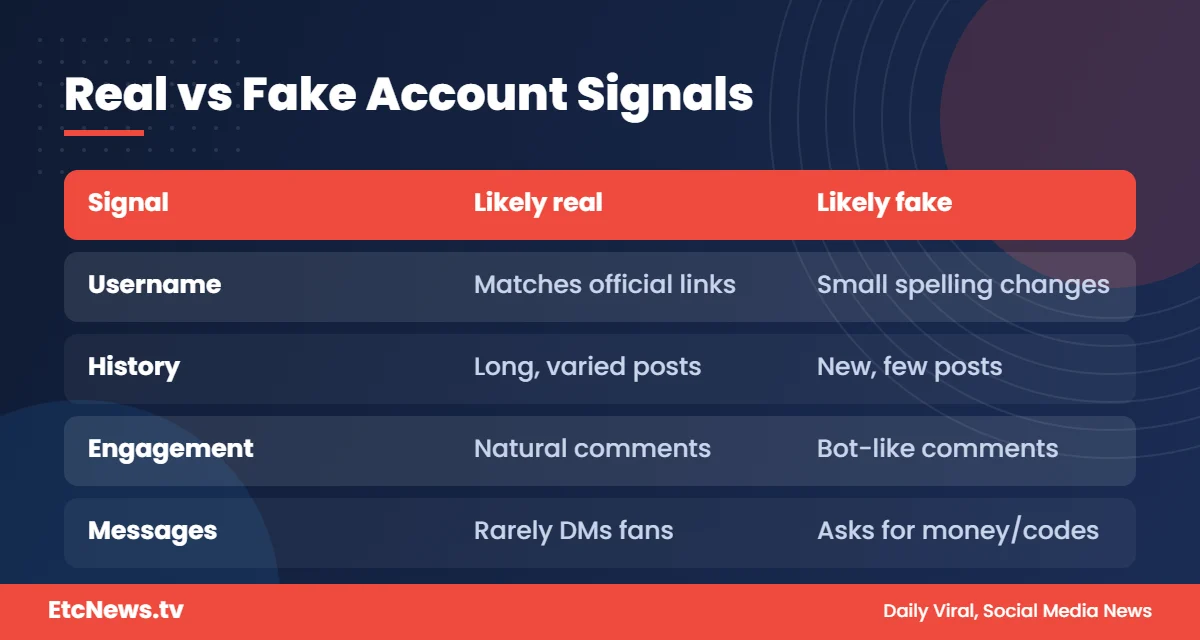
| Signal | Likely real | Likely fake |
|---|---|---|
| Username | Matches official links | Slight spelling differences |
| History | Long, varied posts | Few posts, recent creation |
| Engagement | Natural comments | Generic or bot comments |
| Messages | Rarely DMs strangers | Asks for money or codes |
| Links | Official and consistent | Shortened or unusual links |
What to Do If You Already Interacted with a Fake
- Stop replying and do not send any money or codes.
- Change passwords if you clicked a suspicious link or shared login details.
- Turn on two-factor authentication.
- Report the account and warn friends.
The Most Common Fake Account Scams
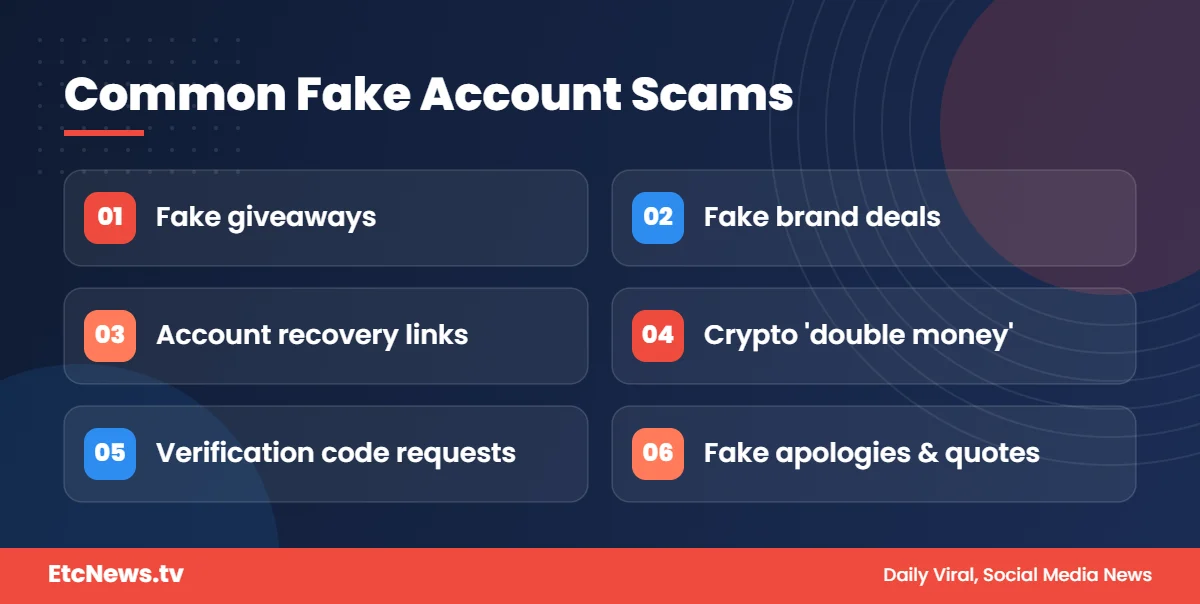
Knowing the usual tricks makes them easier to recognize:
- Fake giveaways: “You’ve won a phone. Pay delivery charges to claim it.” Real giveaways never ask winners to pay.
- Fake brand deals: impostors pretend to be a brand or agency and ask creators to pay a “registration fee”.
- Account recovery scams: messages claiming your account will be deleted unless you log in through a link.
- Investment or crypto offers: a famous face promising to double your money. This is a classic scam pattern.
- Verification code requests: someone asks you to share a code sent to your phone. That code can give them access to your account.
How Fake Accounts Spread Rumors
Fake pages do not only steal money. Some use a celebrity’s name to post invented statements, fake apologies or false “breaking news.” Screenshots of these posts then spread on other platforms, where it becomes harder to check the original. Before believing a quote, look for it on the person’s verified, official account. If you cannot find it there, treat it as unconfirmed.
Tips for Creators: Make It Easy for Fans to Find the Real You
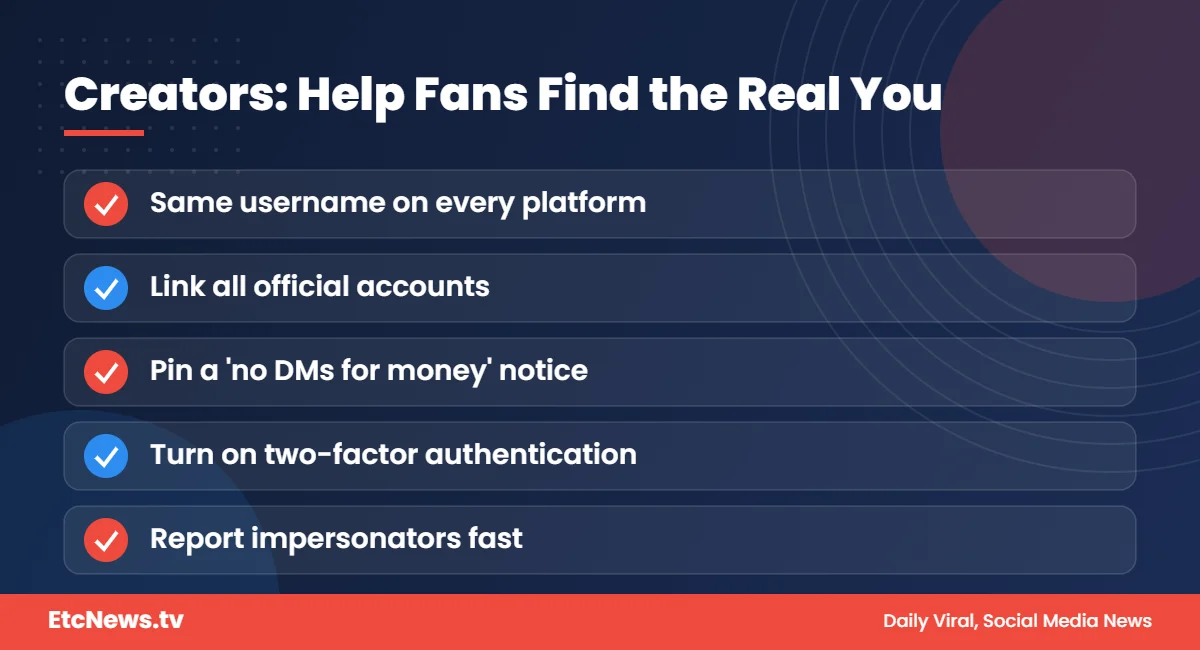
- Use the same username across platforms wherever possible.
- Link all your official accounts from your main profile or website.
- Post a pinned message reminding fans that you never ask for money in DMs.
- Turn on two-factor authentication on every account.
- Report impersonators quickly, and ask your community to report them too.
Read our full creator safety guide for more steps to protect your accounts.
Fake Followers vs Fake Accounts: What’s the Difference?
A fake account pretends to be someone else. Fake followers are bot or inactive accounts used to make a real profile look more popular than it is. Both mislead audiences and brands.
A real creator may sometimes have a few bot followers they did not ask for, which is common on all platforms, but a large share of fake followers can signal that numbers were bought. Our guide to engagement rate explains how to check whether an audience is real.
Why This Matters for Fans
Following fake pages does more than waste your time. Engaging with them helps them look more trustworthy to others, gives scammers a list of people to target, and can spread false information about the person being impersonated. Taking a moment to check before you follow, like or share protects you, your friends and the creators you admire.
It is also worth checking your own following list from time to time. If you followed a page years ago that has since changed its name or started posting scam offers, unfollow and report it. Scammers sometimes buy or hack old pages with large audiences and rename them to impersonate someone new, so an account that looked real when you followed it may not be real today.
How to Tell If an Influencer Account Is Real in 60 Seconds
Here is the fastest way to check if an influencer account is real:
- Open the creator’s main verified channel or official website.
- Click the profile link listed there. Do not search for it.
- Compare that handle with the account that contacted you.
- If they differ, the account messaging you is not the real one.
This habit works on every platform and takes less than a minute.
Frequently Asked Questions
Does a blue tick guarantee an account is real?
Not always. Verification practices differ by platform and some badges can be purchased, so combine it with other checks.
Do real influencers ask followers for money in DMs?
Almost never. Treat any such request as a scam until you confirm through official channels.
How can I find a creator’s official accounts?
Start with their verified channel, official website or the links in their most established account.
Can fake accounts get removed?
Yes. Reporting impersonation to the platform is the fastest route.
What should I do if a fake account is using my photos?
Report it through the platform’s impersonation form, warn your followers and keep screenshots as evidence.
Conclusion
Take a minute to verify before you follow, message or trust. For genuine creator stories, see our Biography and Influencers sections.




4 comments